Digital Marketing for Small Business, A Practical Starting Plan

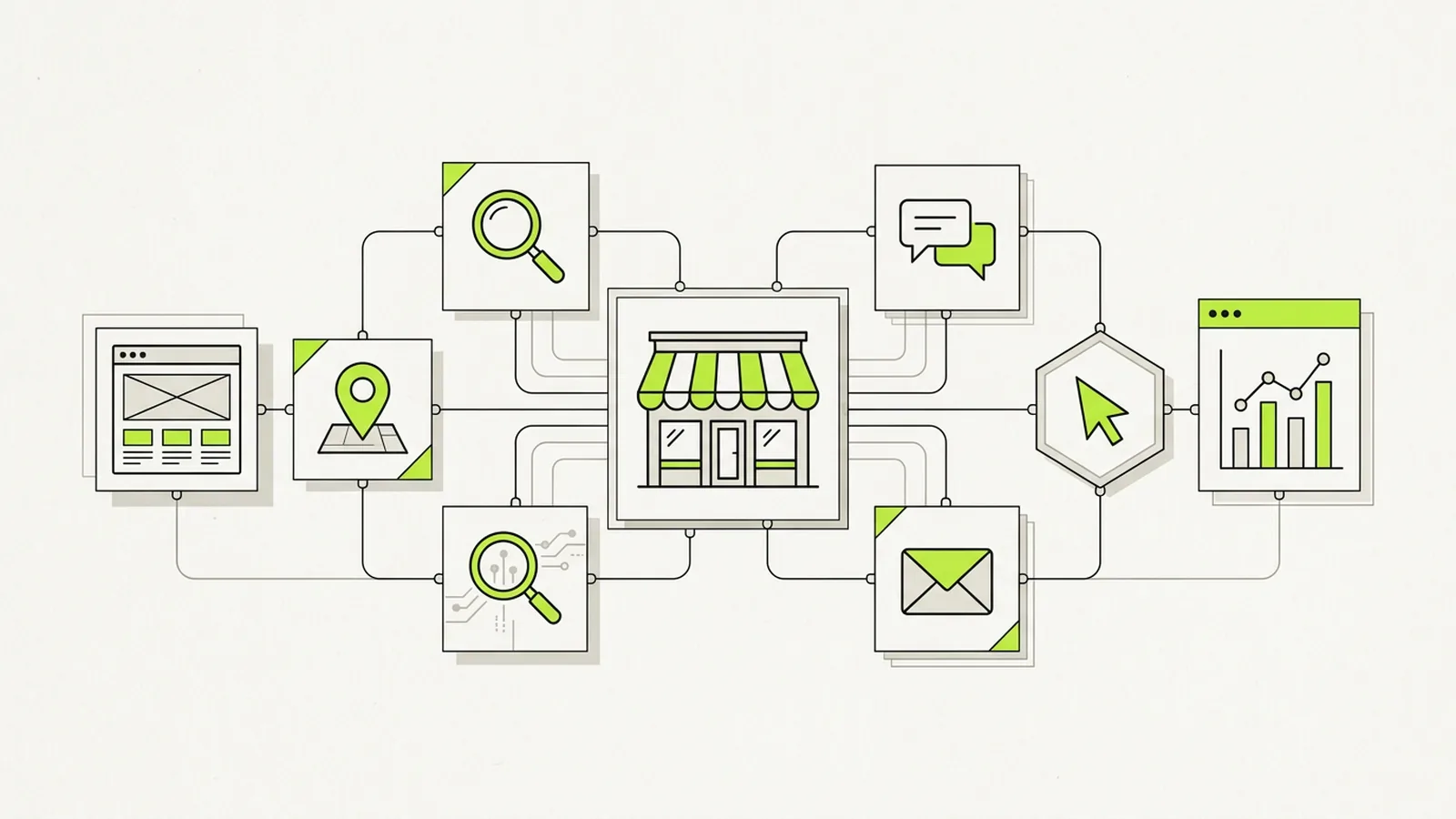
Digital marketing for small business means getting found, trusted, and contacted online by the people most likely to buy from you. The fastest way to start is to build a solid foundation first, then add one channel at a time in the order that fits how your customers search.
Most guides hand you a long list of channels and leave you to guess where to begin. You get a sequence here instead. What to set up first, what to add next, what it costs, and how to tell whether any of it works.
1.What digital marketing means for a small business
Digital marketing covers every way your business reaches customers online. Your website, your Google Business Profile, search results, email, social media, and paid ads all count.
For a small business, the goal stays simple. You want more of the right people to find you, believe you can solve their problem, and take the next step. A call, a booking, a quote request, or a purchase.
You do not need every channel. You need the few channels where your customers already look, set up well and measured honestly.
2.Why digital marketing matters for your business
Your customers rarely call a business cold anymore. They search on Google, compare a few options, read reviews, and check your website before they reach out. If your business looks thin or absent at any of those steps, a competitor wins the call.
Digital marketing also gives you something print and radio cannot. You can see which efforts bring leads and which ones waste money. A small budget goes much further when you can cut what fails and fund what works.
3.Start with your foundation
Skip the foundation and every dollar you spend later works harder than it needs to. Set up these four pieces before you spend on ads.
Know your customer and your offer
Write down who buys from you, what problem pushes them to search, and why they pick you over the next option. Keep it to a few plain sentences.
Then name the single action you want a new visitor to take. A clear offer such as a free estimate, a same week appointment, or a first order discount gives every channel a goal to point toward.
Build a website that turns visits into calls
Your website does not need to be large. It needs to load fast, work well on a phone, and make the next step obvious.
Give each main service its own page. Put your phone number and a short form near the top. Show real photos, recent reviews, and the areas you serve. Visitors decide within seconds whether to stay, so lead with what they came for. If your current site makes contacting you hard, a website built for conversions often pays off faster than any new channel.
Claim your Google Business Profile
Your Google Business Profile is the free listing that appears in Google Maps and the local results beside it. For businesses that serve a local area, it is often the biggest single source of calls.
Claim and verify it, then fill in every field. Add your categories, hours, service area, services, and photos of real work. Ask happy customers for reviews and reply to every one.
Set up tracking before you spend
Install Google Analytics on your website and connect Google Search Console. Both are free. Track the actions that matter, such as form submissions, calls from your site, and bookings.
Without tracking, you cannot tell a channel that works from one that only looks busy. Ten minutes of setup now saves months of guessing later.
4.The core channels, in the order most small businesses should add them
The order below suits most local and service businesses. Online stores and businesses that sell nationally may lean on paid ads and email sooner. Add one channel, give it time to show results, then add the next.
Local SEO
Local SEO helps your business appear when nearby customers search for what you offer. It builds on your Google Business Profile with consistent business details across directories, location and service pages on your site, and a steady flow of fresh reviews.
Results build over months rather than days, and they keep paying off without a cost per click. Our local SEO guide for small business walks through each step in detail.
SEO and helpful content
Search engine optimization helps your pages rank for the questions your customers type into Google. Google says it rewards content written to help people first, so the best approach is plain answers to real questions.
Start with your service pages, then publish articles that answer the questions you hear on sales calls. Pricing, timelines, how to choose, and what to expect. Each useful page gives Google another reason to send you visitors. For larger sites or competitive markets, professional SEO support helps with technical fixes and growth.
Email marketing
Email lets you stay in touch with people who already know you. Past customers, leads who were not ready yet, and visitors who joined your list.
Collect emails with permission, then send useful messages on a steady schedule. Reminders, seasonal offers, and short tips work well. Follow the CAN-SPAM rules from the FTC, including a clear way to unsubscribe and your business address in every message.
Social media marketing
Social media builds familiarity and trust, especially for businesses with visual work such as food, beauty, home improvement, and events. Pick one or two platforms where your customers spend time rather than spreading thin across all of them.
Post real work, behind the scenes moments, customer stories, and answers to common questions. Consistency matters more than volume. When you want a steady posting plan without the daily effort, social media management can carry the load.
Paid ads
Paid ads put your business in front of buyers quickly. They work best after your website, tracking, and reviews are in place, because ads send traffic to whatever you already have.
Google Ads and Local Services Ads
Google Ads show your business when people search for specific terms, and you pay when someone clicks. Tight keyword targeting, location settings, and negative keywords keep spend focused on real buyers.
Local Services Ads appear at the very top of results for many home and professional services. You pay per lead rather than per click, and a Google screened badge adds trust. See how Local Services Ads management and broader PPC management work if you want help running them.
Facebook and Instagram ads
Meta ads target people by location, interests, and behavior rather than search terms. They suit offers people respond to on sight, such as events, promotions, and products with strong visuals. They also work well for reaching past website visitors again.
5.How much digital marketing costs a small business
No single number fits every business. Your costs depend on your market, your competition, and how much of the work you do yourself.
Budget by business stage
Work backward from your goals. Decide how many new customers you need each month, what each customer is worth, and what you can afford to pay to win one. That figure guides your budget far better than a rule of thumb.
| Stage | Focus | Typical spend pattern |
|---|---|---|
| Just starting | Website, Google Business Profile, reviews, tracking | Mostly your time plus a one time website cost |
| Getting steady leads | Local SEO, content, email | A monthly budget for tools and content, ads tested in small amounts |
| Ready to grow | Paid ads at scale plus ongoing SEO | Ad spend that rises as cost per lead proves profitable |
Give any paid channel enough budget and time to collect clean data. Spreading a small budget across five channels usually teaches you nothing about any of them.
Doing it yourself vs hiring help
Many owners handle their profile, reviews, email, and social posts on their own. The tasks that usually reward outside help are paid ad management, technical SEO, and conversion focused website work, because small mistakes there cost real money.
A good rule is to handle what you understand well and hand off what keeps getting pushed to next week. Whoever you hire should explain results in plain language and tie them to leads and revenue.
6.A 90-day digital marketing plan
A short plan keeps you focused. Adjust the pace to your schedule, but keep the order.
Days 1 to 30
Define your customer and your main offer. Fix the biggest problems on your website, especially speed, phone usability, and contact options. Claim and complete your Google Business Profile. Install Analytics and Search Console, and set up conversion tracking. Ask your ten most recent happy customers for a review.
Days 31 to 60
Build or improve one page for each main service. Make your business details match across major directories. Start an email list with a simple sign up offer. Choose one social platform and post on a steady schedule.
Days 61 to 90
Launch one paid channel with a modest test budget, usually Google Ads or Local Services Ads for local services. Publish two or three articles that answer common customer questions. Review your numbers, keep what brings leads, and cut what does not.
7.How to measure results without a data team
You do not need complex reports. Watch five numbers each month.
- Leads, meaning calls, forms, and bookings from online sources
- Cost per lead for each paid channel
- Lead to customer rate, which shows whether leads are the right fit
- Website visitors from Google search and Maps
- New reviews and your average rating
Ask every new customer how they found you, and note the answer. Pair those answers with your Analytics data and you will see which channels earn their budget.
8.Common mistakes to avoid
Spending on ads before your website can convert visitors wastes money fast. Fix the destination first.
Chasing every new platform spreads your time too thin. Two channels done well beat six done poorly.
Judging SEO after a few weeks leads owners to quit just before results arrive. Give organic channels several months.
Ignoring reviews leaves trust on the table. A steady stream of recent reviews helps both rankings and conversions.
Skipping tracking hides what works. Every channel should report back in leads, not likes.
9.Your next step
Start with the foundation today. Claim your profile, tidy your website, and turn on tracking. Each step makes the next one cheaper and more effective, and within 90 days you will know exactly where your best customers come from.
Frequently Asked Questions
What is the best digital marketing for a small business?
The best channel is the one your customers already use to find businesses like yours. For most local service businesses that means a Google Business Profile, a clear website, and local SEO first, with paid ads added once tracking is in place.
How much should a small business spend on digital marketing?
Set your budget from your revenue goal and your average customer value rather than a fixed rule. Start with free foundations, then fund one paid channel well enough to collect a few weeks of clean data before you judge it.
Can I do digital marketing for my small business myself?
Yes. Many owners handle their Google Business Profile, review requests, email, and social posts on their own. Paid ads and technical SEO usually reward outside help once spending grows, because small setup mistakes waste budget quickly.
How long does digital marketing take to work?
Paid ads can bring calls within days of launch. Local SEO and content usually take several months to build steady traffic, so most businesses run both and shift budget as organic results grow.
Why is digital marketing important for small business?
Your customers search, compare, and read reviews online before they call. Digital marketing puts your business in front of them at that moment and lets you measure which efforts bring real leads.
Sources
- Google Business Profile Help, get your business on Google
- Google Search Central, creating helpful, reliable, people-first content
- Google Analytics Help, set up Analytics for a website
- Google Ads Help, how costs are calculated
- Google Local Services Ads Help, how charges work
- U.S. Small Business Administration, marketing and sales
- U.S. Federal Trade Commission, CAN-SPAM Act compliance guide
Your next step
Turn useful ideas into a focused growth plan
Get a practical 90 day blueprint for your business, shaped around small business marketing and the customers you want to reach.
Continue reading
Related guides and insights
Local SEO for Small Business, A Practical Guide
Learn how local SEO works and the exact steps that help your small business show up when nearby customers search on Google.
SEO Content Strategy, How to Plan Content That Ranks and Sells
A practical SEO content strategy guide for small businesses. Learn how to set goals, research keywords, build topic clusters, plan a calendar, and measure what your content earns.
Pay Per Click Advertising, A Practical Guide for Small Businesses
A plain-English guide to pay per click advertising for small businesses. Learn how the auction works, what it costs, how to set up your first campaign, and how to measure real results.
Email Marketing for Small Business, A Practical Starting Guide
A clear starting guide to email marketing for small business. Learn how to pick a platform, build your list legally, decide what to send, and measure real results.